ERPLI

To run an abacus exam online, you need to set the paper by level, schedule the test, conduct it securely, auto-grade responses, and issue certificates. The right abacus exam software can simplify every step, from question creation to anti-cheating measures and instant results for your students.
Key takeaways
- Use abacus exam software to automate question setting, grading and certificates
- Schedule exams by student level and batch for smooth management
- Basic anti-cheating: randomise questions, set time limits, and monitor activity
- Auto-grading saves hours and reduces errors
- Certificates can be issued instantly after the exam
- Costs for online exams are typically low, especially at scale

Steps to run an abacus exam online
Conducting an abacus exam online involves a series of structured steps:
Set the exam paper by level:
- Use a digital question bank to select or create questions for each abacus level.
- In ERPLI or similar platforms, you can assign specific questions to each level and topic.
- Include a mix of calculation types (addition, subtraction, mental abacus, soroban problems). See types of abacus.
Schedule the exam:
- Schedule by batch, level, or branch as needed.
- Notify students and parents via SMS, WhatsApp, or app notification.
- Set time windows (e.g., 10:00–11:00 am) and exam duration (e.g., 30 minutes).
Conduct the online abacus test:
- Share secure exam links or use a student portal.
- Enable webcam monitoring if possible, or require parent supervision for younger children.
- Monitor attendance and real-time participation from the admin dashboard.
Auto-grade and review:
- Responses are auto-graded by the system, immediately or after the exam window closes.
- Review flagged answers manually if needed (for subjective or image-based questions).
Issue certificates:
- Auto-generate certificates with student name, level, marks, and academy branding.
- Send certificates by email, WhatsApp, or let students download from their portal.
How abacus exam software simplifies online exams
Modern abacus exam software like ERPLI makes the entire process easier:
- Question banks: Create, edit, and reuse questions for each level
- Batch scheduling: Assign exams to specific groups or branches
- Automated grading: The system checks answers instantly, saving hours
- Certificate templates: Issue professional-looking certificates with one click
- Analytics: Track student performance, pass rates, and common errors
| Feature | Manual Exams | Abacus Exam Software |
|---|---|---|
| Paper setting | Tedious, error-prone | Fast, reusable |
| Scheduling | Phone calls, sheets | Batch, auto-reminders |
| Grading | Manual, slow | Instant, accurate |
| Certificate issue | Days/weeks | Instant |
| Anti-cheating | Difficult | Built-in tools |
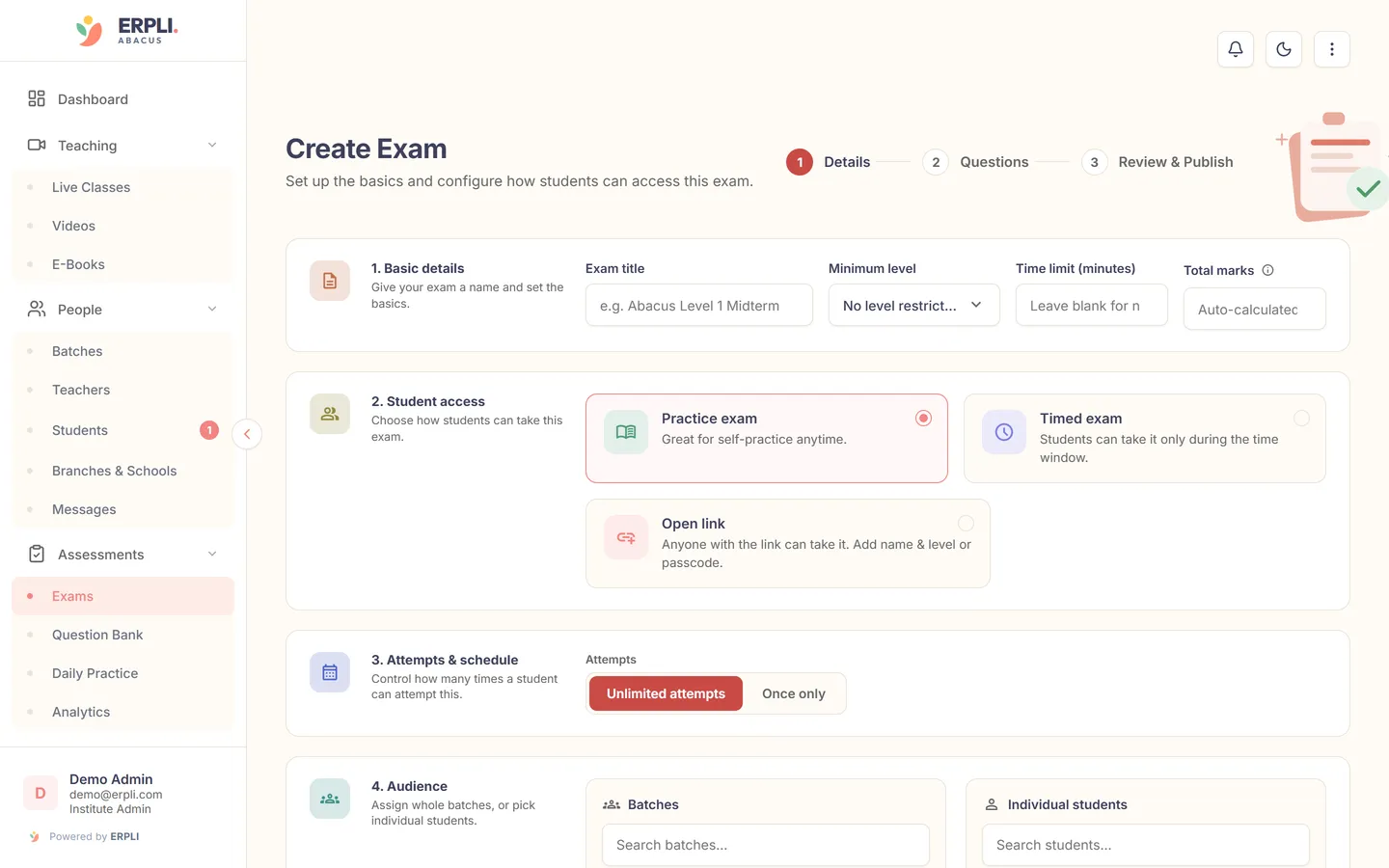
Scheduling and managing online abacus exams
Effective scheduling is crucial for fairness and smooth management:
- Group by level: Ensure students take the correct paper for their current level (Level 1, Level 2, etc.).
- Batch-wise scheduling: Assign different time slots if you have many students or limited proctors.
- Notifications: Use built-in messaging to inform students and parents about exam details and reminders.
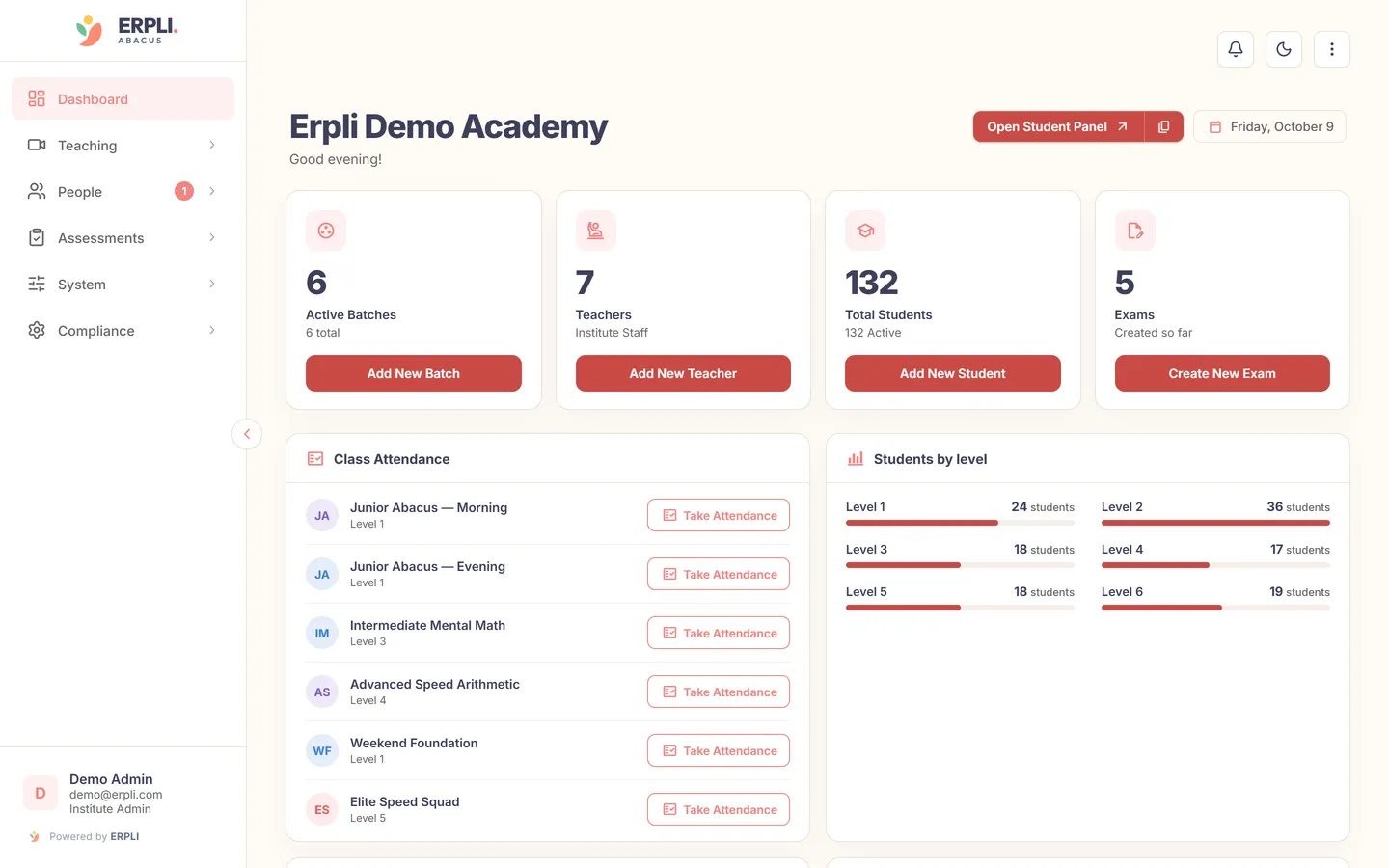
- Attendance tracking: Monitor real-time attendance and intervene quickly if a student faces issues.
ERPLI’s admin dashboard lets you see exam participation, completion rates, and late joiners at a glance.
Anti-cheating measures for abacus exam online
Maintaining exam integrity is important, especially for competitive or certification levels:
- Randomised question order: Each student gets questions in a different sequence.
- Time limits: Strict time windows reduce the chance of cheating.
- Question pool: Use a larger question bank so no two papers are identical.
- Webcam proctoring: For higher levels, enable video monitoring or require screen sharing (if feasible).
- Parent supervision: For young children, ask parents to supervise and confirm integrity.
- Plagiarism check: Spot identical answer patterns or suspiciously fast submissions.
No system is 100% cheat-proof, but these steps make online abacus tests much more reliable.
Auto-grading and instant results
Auto-grading is a major advantage of conducting abacus exam online:
- Instant feedback: Students and parents see results immediately after submission.
- Error analysis: Software highlights common mistakes for each student.
- Manual override: Teachers can review and adjust marks for special cases.
- Performance reports: Download or share detailed reports for individual students, batches, or the whole academy.
This saves teachers hours of manual checking and reduces the risk of calculation errors.
Issuing certificates after the exam
Issuing certificates quickly motivates students and is easy with the right platform:
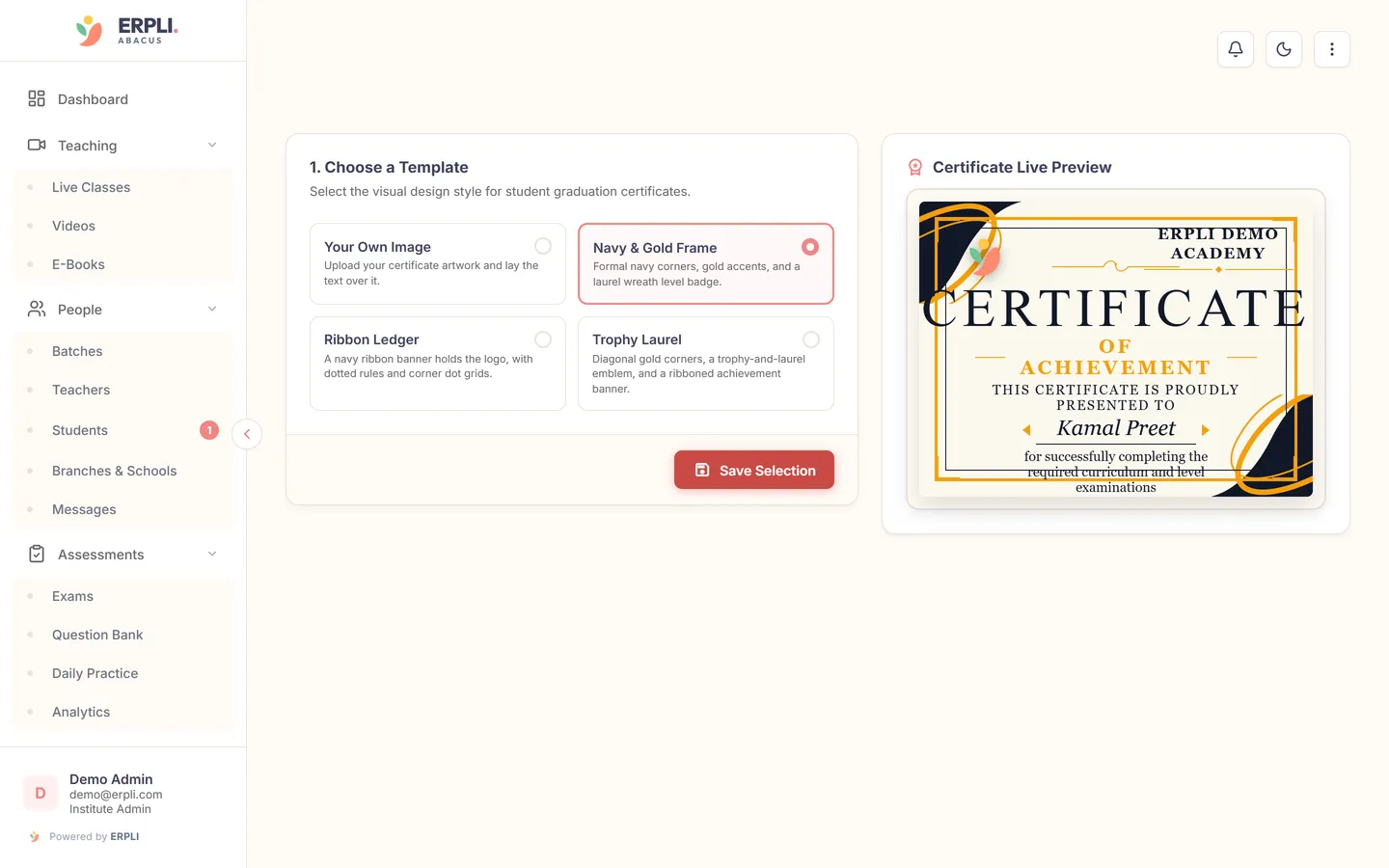
- Templates: Choose from pre-designed templates or customise with your academy’s logo and colours.
- Auto-fill: Student name, level, marks, and date are filled automatically.
- Digital delivery: Send via WhatsApp, email, or let students download from their portal.
- Physical print: Download print-ready PDFs for offline distribution if needed.
ERPLI includes certificate design and instant issue at no extra charge, as part of the standard fee (see pricing).
Typical costs and practical tips
- Software fees: ERPLI costs ₹50 per student/month for up to 30 students, with lower rates for larger batches. This includes exams, certificates, practice, and more.
- No extra exam charges: Most platforms, including ERPLI, do not charge separately for exams or certificates.
- Setup: Training and onboarding typically take 1–2 days for staff. Most Indian abacus academies find this manageable.
- Device requirements: Students need only a smartphone, tablet, or computer with internet access.
- Support: Choose software with Indian support hours and easy help for teachers, parents, and students.
For a detailed feature breakdown, see ERPLI Abacus LMS.
Next step
Running an abacus exam online is straightforward with the right tools—set papers, schedule, conduct, grade, and issue certificates all from one platform. Want to see how it works in practice? [[cta: Book a free ERPLI demo | https://wa.me/918796675114?text=Hi%21%20I%27d%20like%20a%20demo%20of%20ERPLI%20Abacus]]